Tallpine Twins
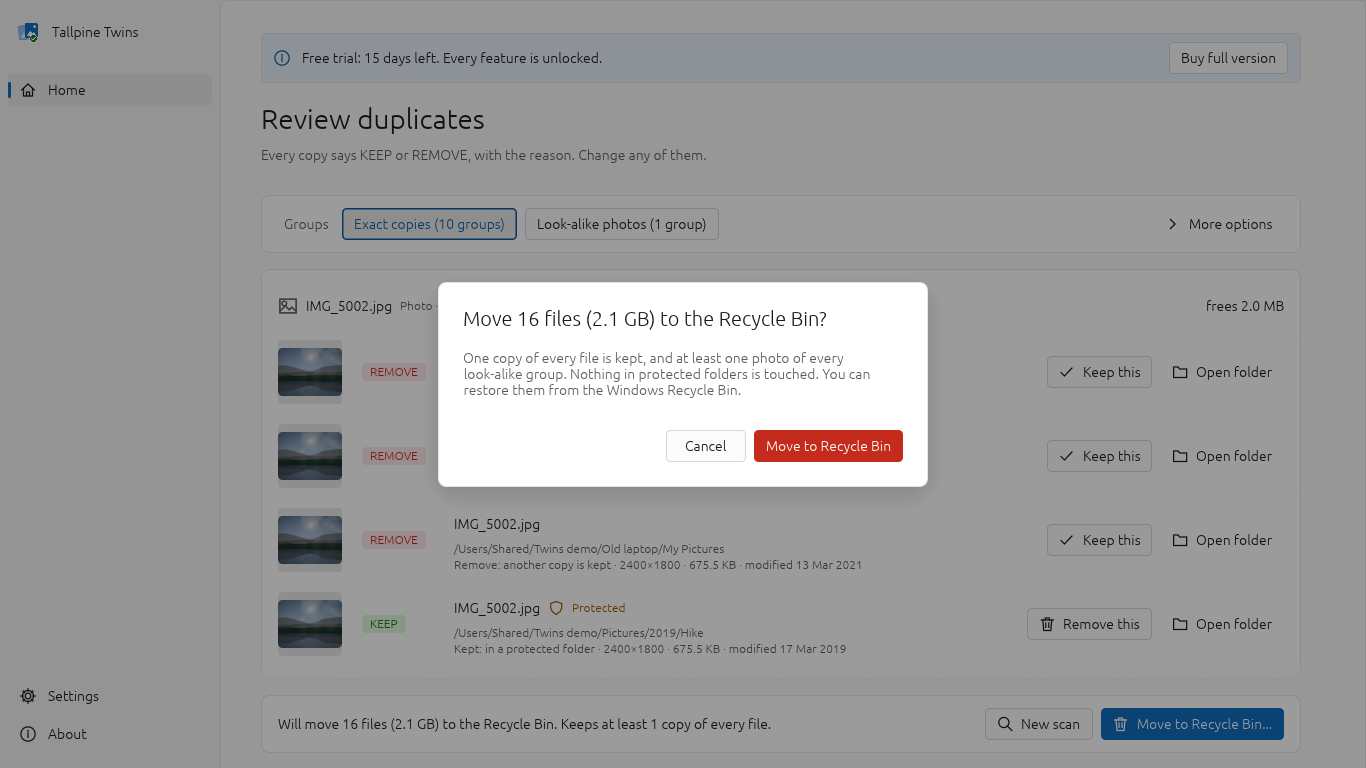
Find duplicate files and look-alike photos and clear them safely. Every copy says KEEP or REMOVE in plain words with the reason, one copy of each file is always kept, and copies are moved to the Windows Recycle Bin so you can restore them.
$19.99 one-time - free trial (15 days) · Windows 10 version 1809 or later, 64-bit (x64); 4 GB RAM; 50 MB free disk space
Screenshots
Features
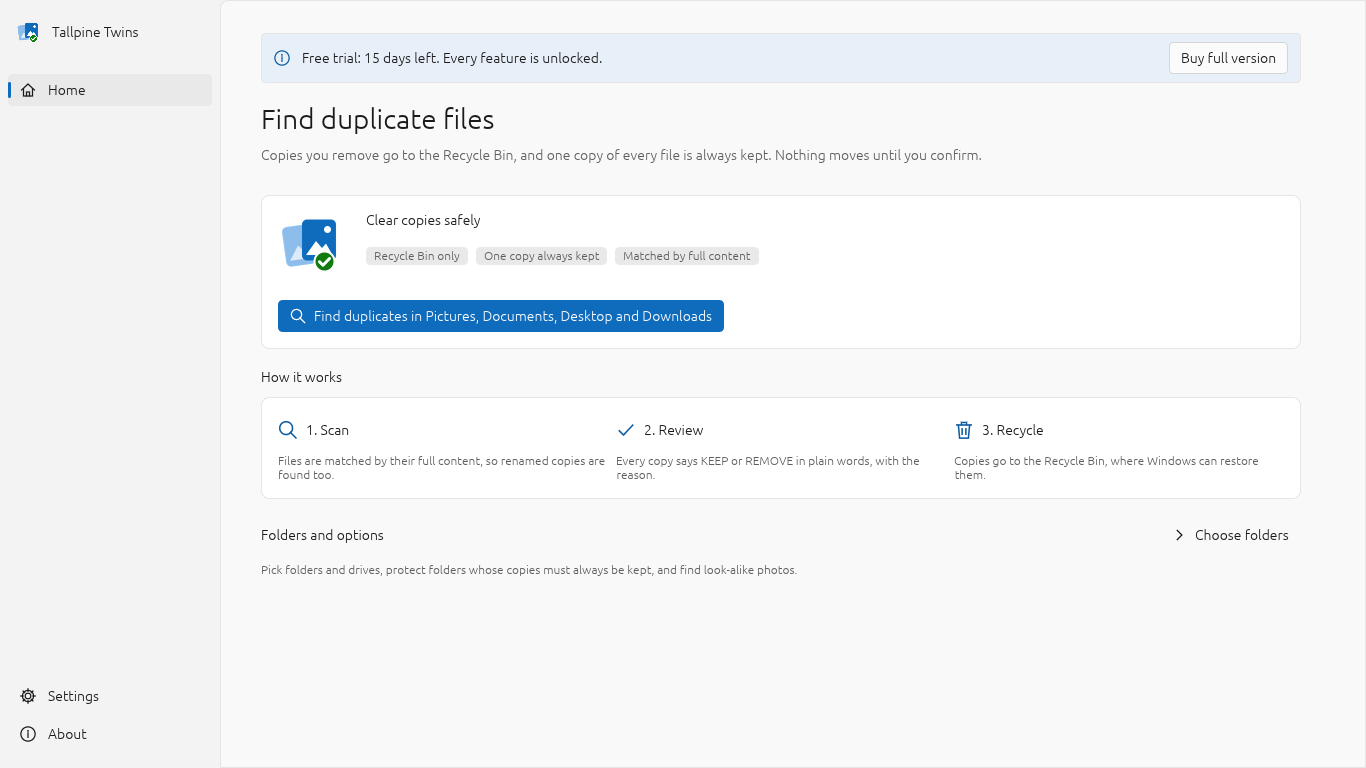
- One-button Quick clean of Pictures, Documents, Desktop and Downloads
- Matches files by full content (BLAKE3 hash), not by name
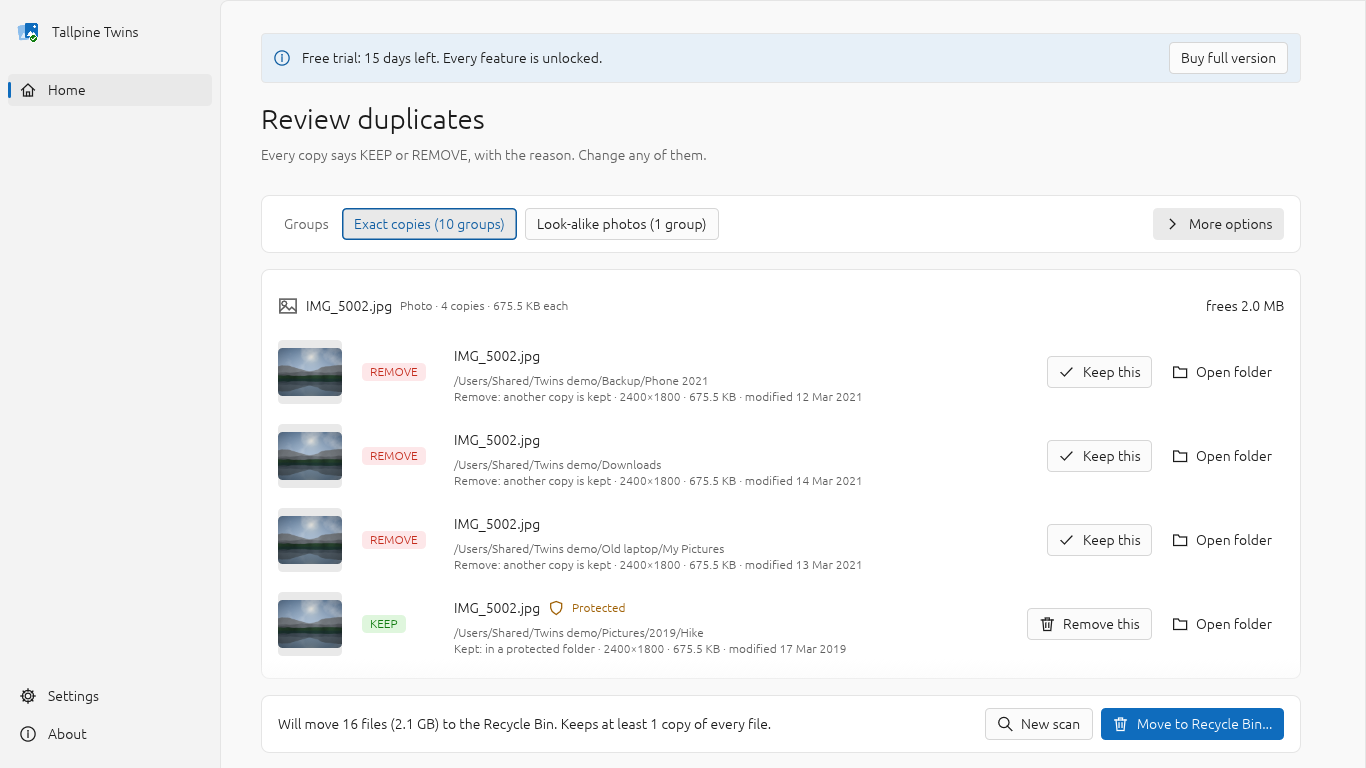
- Every copy labelled KEEP or REMOVE with the reason in plain words
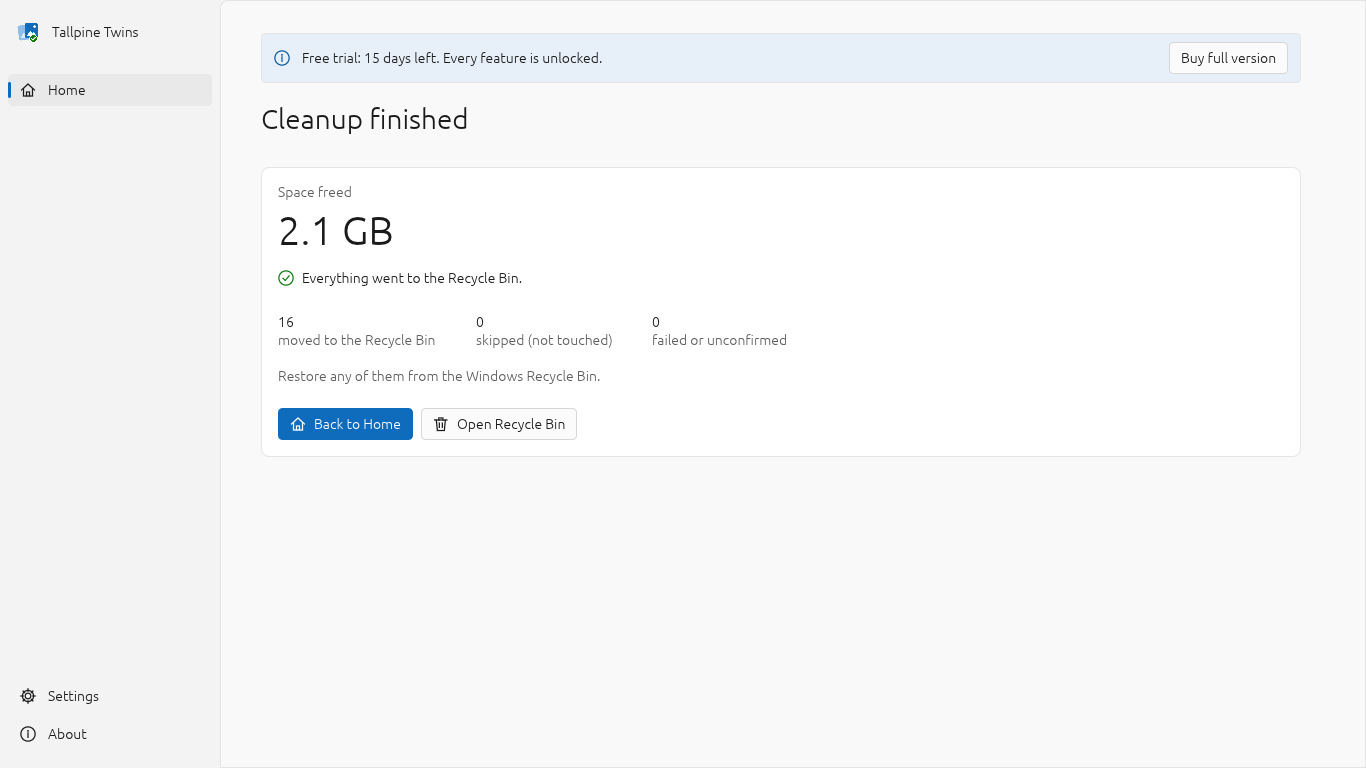
- Copies are moved to the Windows Recycle Bin; anything it can't take is skipped
- One copy of every file is always kept
- Protected folders: copies there are always the ones kept
- Keep rules: oldest, newest or shortest path, with per-file override
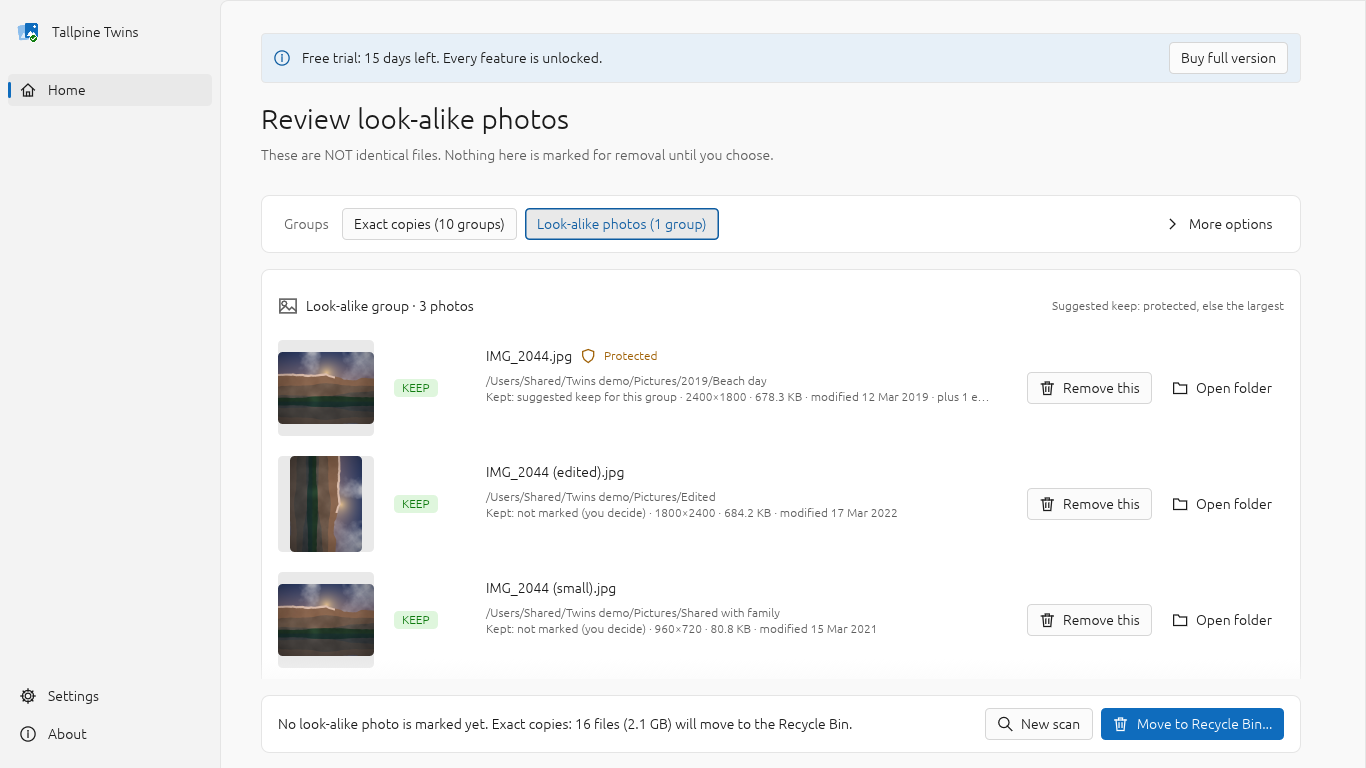
- Look-alike photos: resized, re-saved and rotated copies, never pre-marked
- Re-reads each copy before moving it and skips anything that changed
- Skips USB sticks, cards, network drives and files too large for the Recycle Bin
- Honest result: moved, skipped and failed, with reasons
- Filter by photos, videos, music or documents; sort by space, name or folder
- Saved scan data makes repeat scans quicker
- Skips Windows, Program Files, AppData and online-only cloud files
- Free 15-day trial with every feature unlocked
About Tallpine Twins
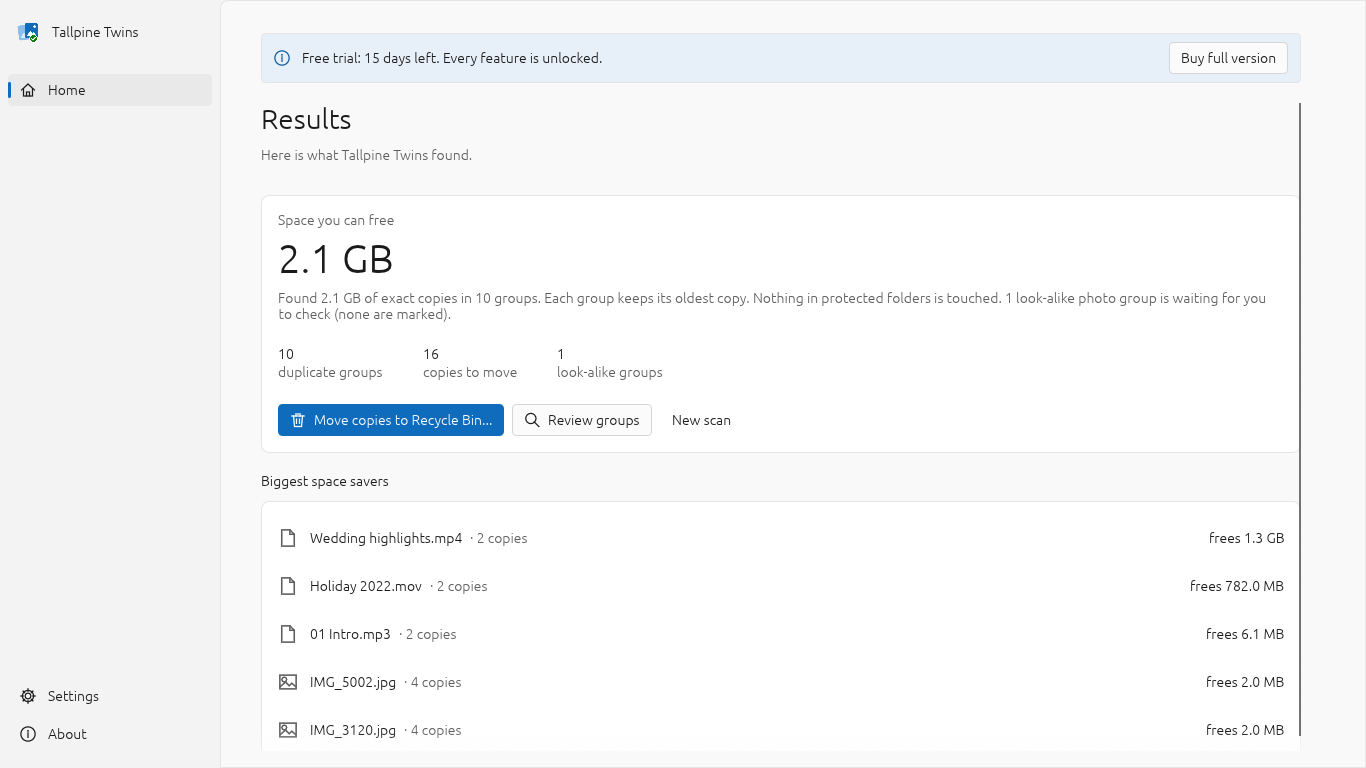
Tallpine Twins finds the duplicate files that fill your PC (copies of photos from old phones and laptops, downloads you saved twice, backups of backups) and clears them without the fear of losing the wrong file.
Copies you remove are moved to the Windows Recycle Bin, so you can restore them. Anything Windows cannot put in the Recycle Bin is skipped and listed, not deleted. One copy of every file is always kept, and copies in folders you protect are never touched. Before anything moves, every copy is labelled KEEP or REMOVE in plain words with the reason, for example "Kept: oldest copy (12 Mar 2019)".
How it works: click one button to check Pictures, Documents, Desktop and Downloads, or choose your own folders and drives. Files are matched by their full content (BLAKE3 hash), not by name, so renamed copies are found and different files with the same name are not. A summary tells you how much space the copies use; move them to the Recycle Bin straight away, or review every group first.
Look-alike photos: optionally find resized, re-saved and rotated copies of the same photo (JPEG, PNG, WebP, BMP, GIF). Look-alikes are never marked for removal automatically: you choose, one photo at a time, and one photo of each group is always kept.
Safety checks before every move: each copy and the copy being kept are read again and must still match byte for byte; anything that changed since the scan is skipped; two names for the same file (links) are never treated as duplicates; copies on drives without a usable Recycle Bin (USB sticks, memory cards, network drives, or a Recycle Bin that is turned off) and files too large for the Recycle Bin are skipped and listed. Program files (.exe, .dll) are never pre-marked. Afterwards you see exactly what was moved, skipped or failed, and why.
Repeat scans are quicker: file fingerprints are saved on your PC (you can clear them in Settings), so unchanged files are not read again.
Free trial: 15 days with every feature unlocked and no limit on how many files you clean. After the trial, scanning and review keep working; buy Tallpine Twins once (no subscription) to keep moving copies to the Recycle Bin.
Privacy: your files never leave your PC. Anonymous feature-usage statistics (for example "scan completed", with rounded counts) are sent to Google Analytics only with your permission in the EU, UK and Switzerland, and are on by default elsewhere with a first-run notice and an off switch in Settings. File names, paths and contents are never sent.
Limitations: look-alike matching does not cover HEIC or RAW photos (exact copies of them are found); no similar music or video matching; online-only OneDrive files are skipped, not downloaded; files under 1 KB are ignored; English only.
Your privacy
Anonymous usage statistics; opt-in in the EEA/UK/CH, opt-out elsewhere. Your files and their contents never leave your PC.
Details
- Price
- $19.99 one-time - free trial (15 days)
- Requires
- Windows 10 version 1809 or later, 64-bit (x64); 4 GB RAM; 50 MB free disk space
- Version
- 1.0.0
- Privacy
- Privacy policy
- Support
- support@tallpinestudios.com